Pour over coffee app for iPhone
Somewhere in your next bag is a perfect cup.
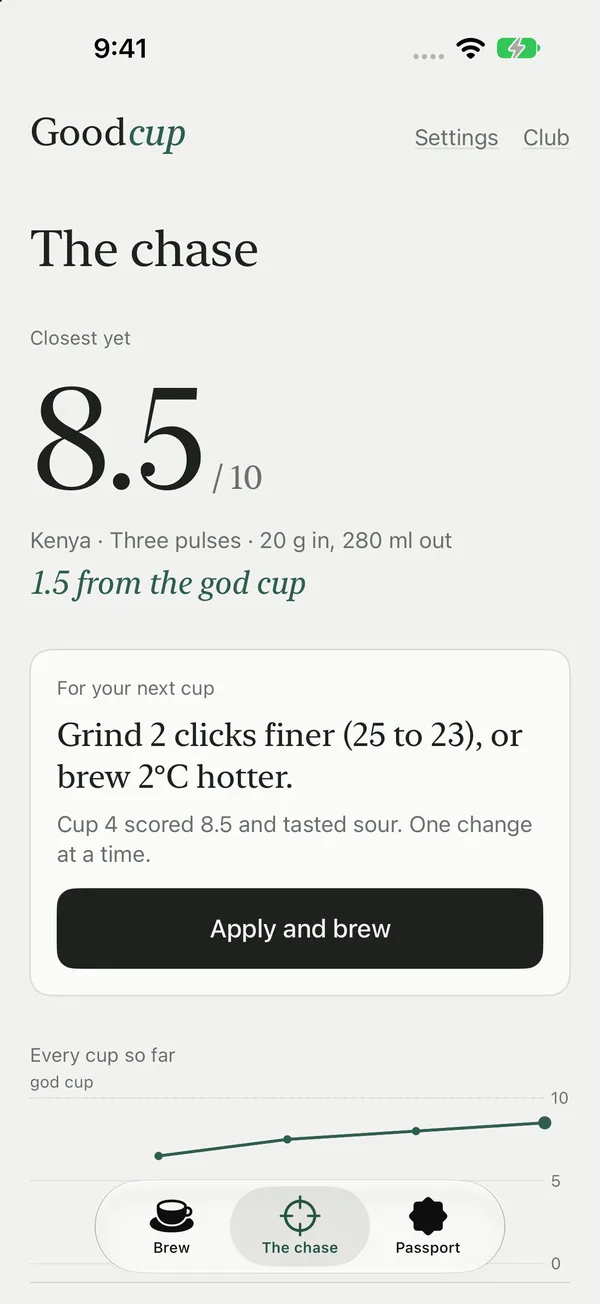
Coffee people call it the god cup. Goodcup guides every pour to the gram, scores how close you got, and tells you the one thing to change next time.
How it works
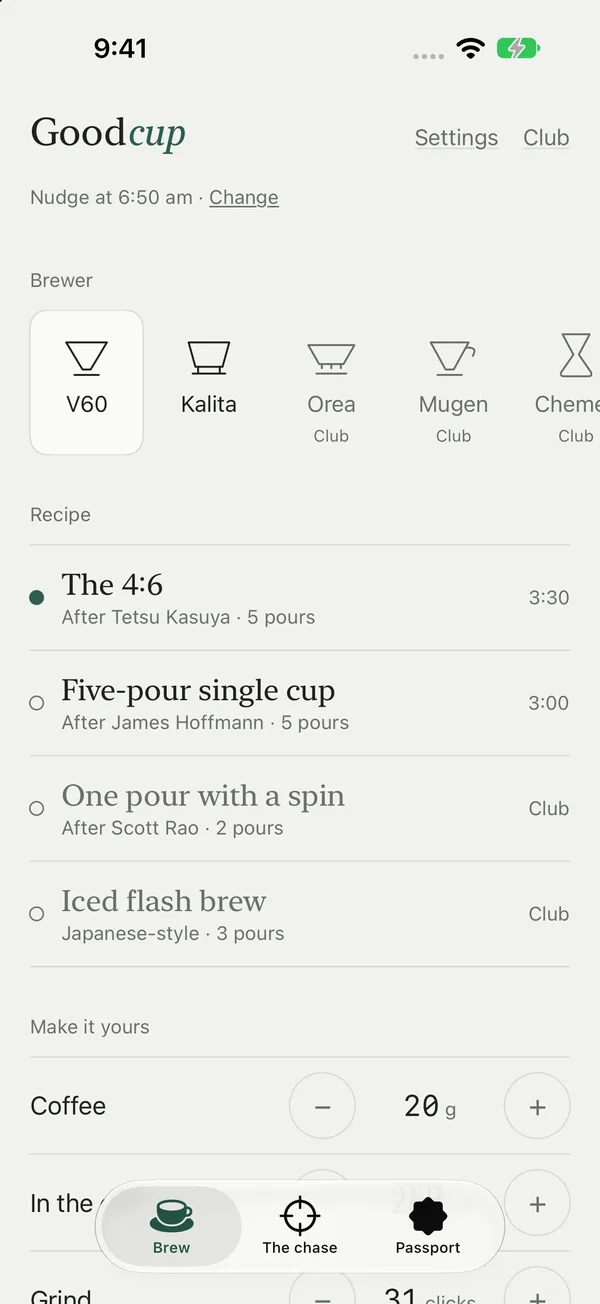
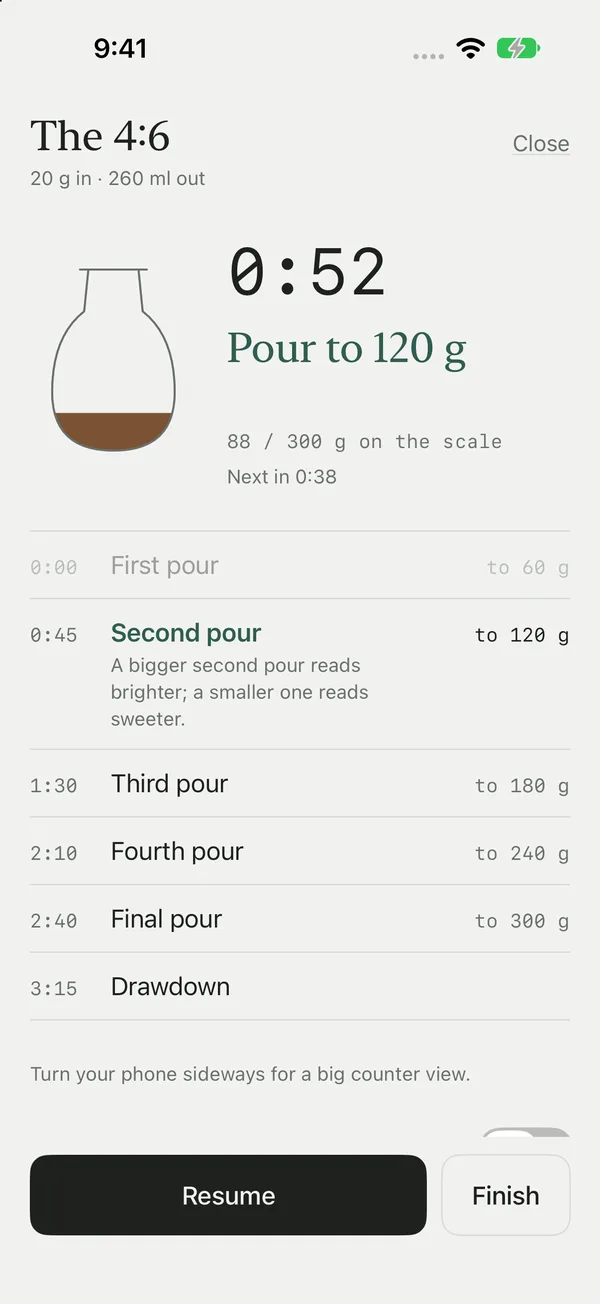
- Brew. Pick your brewer and a recipe, set your dose, and follow each pour with a timer and a target weight for the scale.
- Score. Drag to say how close it got, out of ten, and tap what held it back: sour, bitter, thin or heavy.
- Adjust. Goodcup gives one change for the next cup, like two clicks finer or 2°C hotter, and charts every cup on your way to the god cup.
Guided pour over recipes
Seventeen recipes across seven brewers, from the 4:6 method and five-pour V60 to Chemex batches and iced flash brew.
Any dose, any cup
Change the grams of coffee or the size of the cup and every pour rescales. Timings and targets stay right.
Grinder settings
Starting clicks for popular hand and electric grinders, and which way to move when a cup is sour or bitter.
Hands-free brewing
Pour steps on your Lock Screen, a big sideways counter, and your usual brew from a widget, Siri or the Action button.
The origin passport
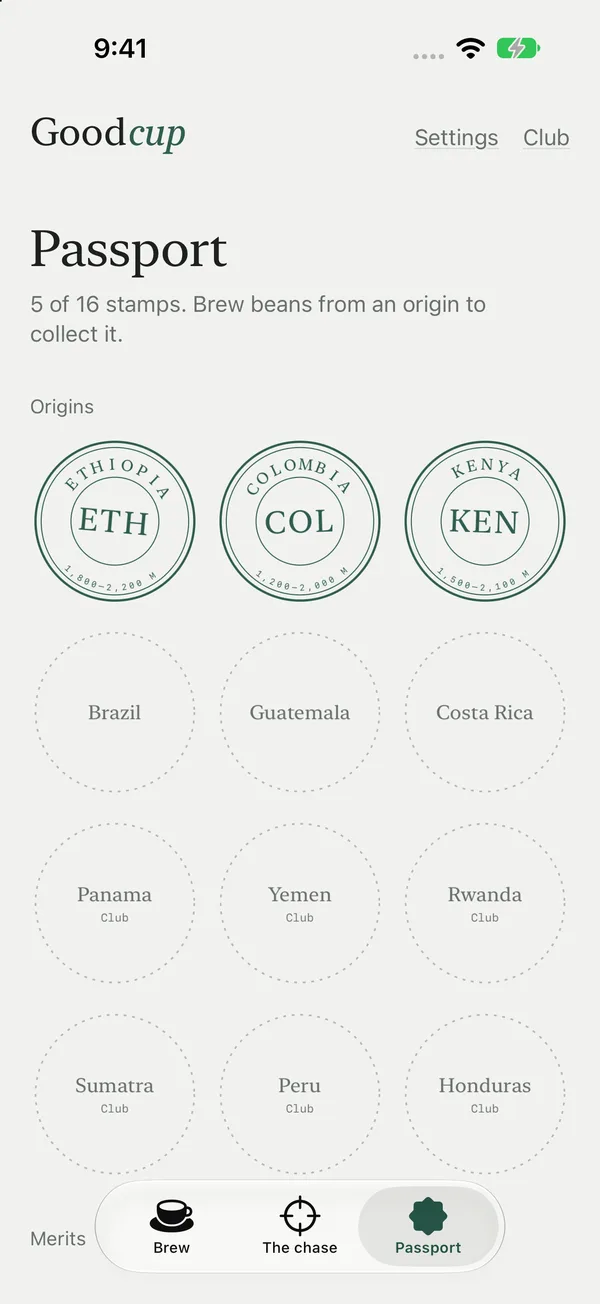
Brew beans from Ethiopia, Colombia, Kenya and more to collect a hand-drawn stamp for each, with a little about where they grow.
Calm and private
No account, no ads, no streaks, no tracking. A gentle nudge at your coffee time, only if you want one.
Pour over coffee ratio
A good place to start is 1 gram of coffee to 16 grams of water (1:16). Go stronger toward 1:15 or lighter toward 1:17 to taste. With filter coffee, a gram of water is a millilitre.
| Coffee | Water at 1:16 |
|---|---|
| 12 g | 192 g (ml) |
| 15 g | 240 g (ml) |
| 18 g | 288 g (ml) |
| 20 g | 320 g (ml) |
| 25 g | 400 g (ml) |
| 30 g | 480 g (ml) |
Start with water just off the boil, around 92 to 96°C, and a medium-fine grind. If the cup tastes sour, grind finer or use hotter water. If it tastes bitter or dry, grind coarser. Change one thing at a time. Goodcup does this sum for you, recipe by recipe.
Questions
What is the god cup?
It's the one cup that tastes exactly how you hoped: sweet, clear and balanced. Goodcup scores every cup you brew out of ten, shows how close you got, and gives you one change to make next time, so each brew gets you nearer.
Which pour over brewers does Goodcup support?
Hario V60 and Kalita Wave are free. Goodcup Club adds Chemex, Origami, Hario Switch, Orea and Mugen, each with recipes written for that brewer.
Can I change the coffee dose and how much I brew?
Yes. Set the grams of coffee or the amount you want in the cup, and every pour target and timing in the recipe rescales to match.
Does Goodcup know my grinder?
Choose your grinder, such as a Comandante, 1Zpresso, Timemore, Fellow Ode or Baratza Encore, and Goodcup gives a starting setting in clicks or dial numbers. When a cup tastes sour or bitter, it tells you which way to move it.
Can I brew hands-free?
Yes. The pour steps show on your Lock Screen as a Live Activity, there's a big counter view when you turn your phone sideways, and you can start your usual brew from a Home Screen widget, Siri or the Action button.
Is Goodcup free?
Yes, with two brewers, a set of recipes, the scoring and the chase. Goodcup Club unlocks every brewer, recipe and origin stamp, by subscription with a free trial or as a one-off lifetime purchase. Prices show in your local currency in the App Store.
Is my coffee journal private?
Goodcup has no account, ads or tracking. Your cups, scores and stamps stay on your iPhone.
When is Goodcup out?
Goodcup is in final testing for iPhone now. Email us and we'll let you know the day it lands on the App Store.
Chase the god cup.
Free to start, with V60 and Kalita recipes. Goodcup Club unlocks every brewer, recipe and stamp.